Practical Mii editing guide
How to Change Mii Personality in Tomodachi Life: Living the Dream
Learn how to change Mii personality in Tomodachi Life: Living the Dream, test one trait at a time, and avoid treating a fan chart as an official formula.
Updated August 3, 2026
If you searched how to change Mii personality in Tomodachi Life: Living the Dream, the safest approach is to separate what the official product page confirms from what a fan-made personality model can only suggest. Plan the new profile first, record the old values, and change one strong trait at a time.
Nintendo confirms that Living the Dream lets players build Mii characters through a robust profile system and through a simpler question-based route. Its public product page does not document one universal menu path for editing a saved personality, so the exact label or button can depend on the final game screen. This guide gives you a repeatable method without inventing hidden rules.
Quick answer
Open the saved Mii or character profile in the game, look for the available edit or personality controls, and adjust one axis before saving. Use the homepage calculator to preview a target type, then return to the game to verify the result. If the current version does not expose a personality edit control, do not force a guess: record the intended profile and use the available creation or profile-edit flow instead. The site calculator explains likely behavior; it cannot confirm a hidden Nintendo formula or guarantee a friendship, romance, or event result.
What can you actually change?
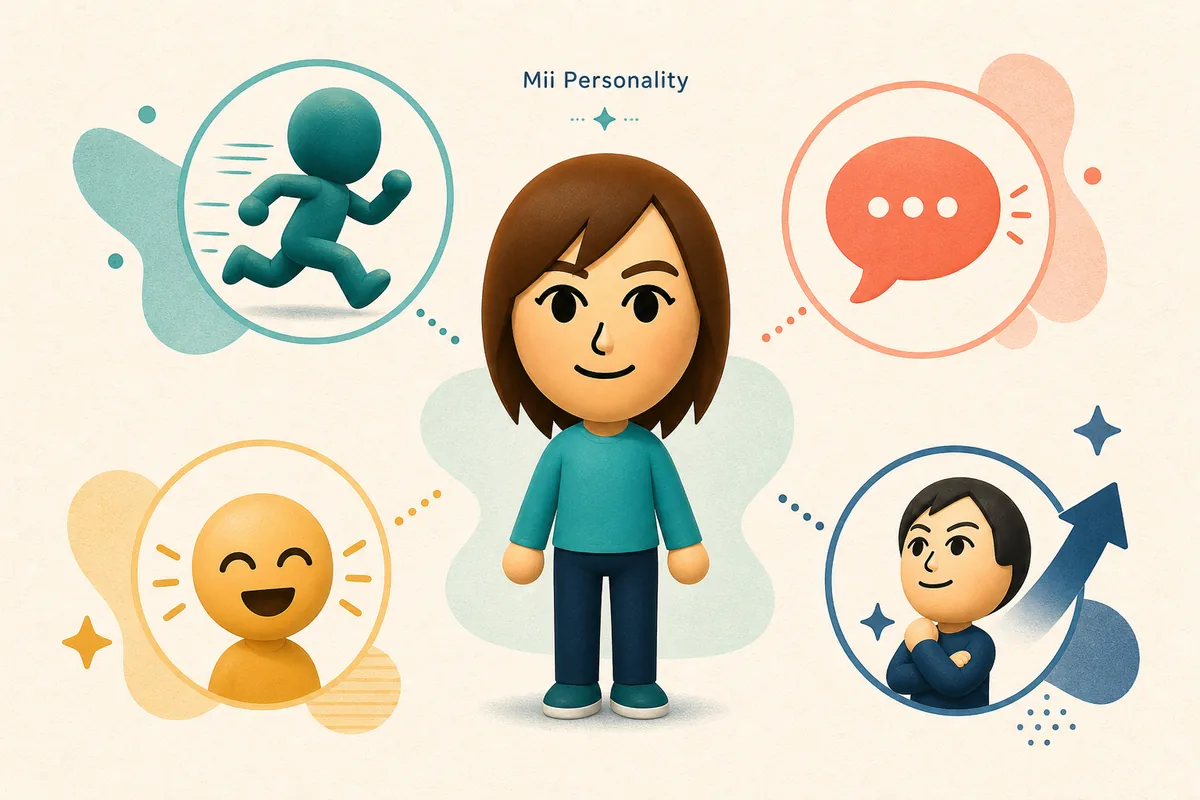
The useful working model on this site has four visible directions: movement speed, speech style, expressiveness, and attitude. They are planning controls, not a promise that the released game stores personality as four public sliders. When you change a Mii, focus on the behavior you want to see instead of chasing a label with no explanation.
The official Nintendo product page confirms Mii creation from scratch, a profile system, and a question-based creation route. It also presents the game for Nintendo Switch and lists Switch 2 compatibility information. Those facts support the product context, but they do not prove that every saved Mii can be edited through the same personality menu.
Confirmed fact versus planning advice
Treat the Nintendo page as the authority for product availability, platform, and publicly described creation features. Treat the four-axis chart, type labels, and compatibility language here as a transparent fan guide. If an in-game help screen uses different names, prefer that wording and update the plan rather than forcing the old label.
The practical yes-or-no test
A real edit path should let you open a resident or Mii profile, change a supported field, save it, and return to the profile without losing the character. If the screen only changes appearance, catchphrase, room, or gifts, that is not evidence that personality changed. Check the result in play before drawing a conclusion.
Before changing a saved Mii
Write down the current type, the four current trait directions, and the reason you want to change it. A profile may feel too loud, too slow, too serious, or too private even when its displayed label stays the same. Naming the problem gives you a testable target and prevents random slider movement.
Next, open the personality calculator on the homepage and preview the closest alternative. Use the existing 16-type guide when you need the meaning of a family or want to compare a neighboring type. The calculator is most useful before you edit because it lets you see whether one change should soften the profile or move it into a different planning family.
Keep a before-and-after note. A simple record such as slow to medium movement, careful to direct speech, and unchanged expression is more useful than a screenshot of an unexplained result. It also makes it easier to undo a change when a friendship or group dynamic feels worse.
How to change Mii personality step by step
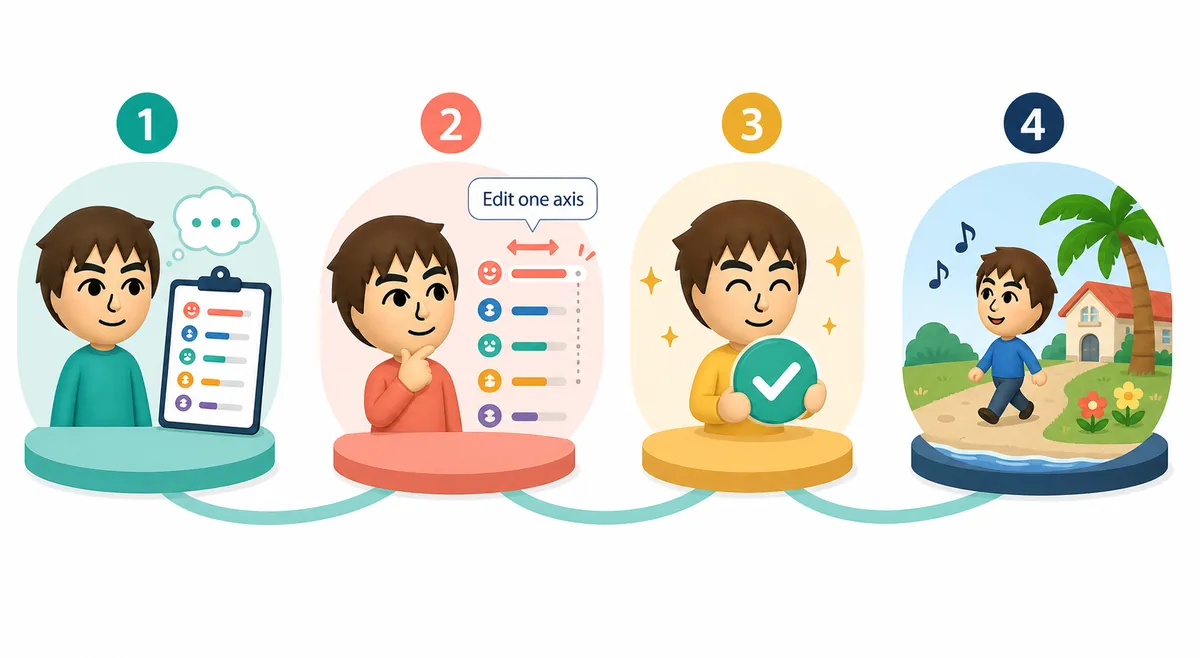
The menu names may vary, but the decision process should stay stable. Follow the sequence below whenever you edit a saved character.
1. Open the current Mii or resident profile. Start from the character you actually want to preserve, not from a new blank profile. Confirm that you are editing the intended resident before making a change.
2. Find the personality, behavior, or profile-edit area that the current game exposes. If the game uses questions or presets instead of visible sliders, treat the answers as the supported input and do not pretend they map one-to-one to the fan chart.
3. Change one major axis first. Movement is a good first test when the character feels too slow or too frantic; speech is a better first test when conversations feel too cautious or too blunt. Leave expression and attitude alone until the main problem is clear.
4. Save the profile and check the result in the game. Look at more than one interaction or daily scene. A single reaction is not enough to establish a rule, especially when the game has random events and relationship variables.
5. If the result is close but not right, change one second axis and repeat. If the profile becomes unrecognizable, restore the recorded values or use the closest supported preset instead of changing all four directions at once.
If there is no personality edit button
Do not infer that a missing button means the Mii is permanently locked or that a random appearance edit changed personality. Check the current in-game help, the profile creation flow, and the official product information. Until a supported edit path is visible, use the calculator to plan a replacement profile and label the result as a fan-model target.
Why one-axis changes are safer
Changing every value at once destroys the evidence for what worked. One-axis testing gives you a small, reversible experiment: you can tell whether the Mii feels calmer because movement slowed, speech became more careful, or attitude became more relaxed. That distinction is the useful part of the guide.
What each personality axis is useful for
The table is a planning aid for choosing what to test first. It is not an official Nintendo data table. Use the low and high descriptions as a language for your own observation, then replace them with the game wording if the final interface provides clearer terms.
Start with the axis that matches the problem you can describe. If you cannot explain what feels wrong, do not change the profile yet; observe another scene and write down a concrete example.
| Axis | Lower direction | Higher direction | Test it first when |
|---|---|---|---|
| Movement | Slow or patient | Quick or energetic | The Mii feels too quiet or too frantic |
| Speech | Careful or measured | Direct or blunt | Conversations feel too cautious or too sharp |
| Expression | Reserved or subtle | Visible or dramatic | Reactions are hard to read or too intense |
| Attitude | Serious or focused | Relaxed or playful | The overall tone feels stiff or unfocused |
Example: make an intense Mii easier to live with
Imagine a performer Mii who is quick, direct, highly expressive, and relaxed. That combination can create memorable scenes, but it may feel overwhelming when the apartment group already has several energetic residents. The goal is not to erase the performer role; it is to reduce the one feature that causes the most friction.
First lower expressiveness slightly and compare two or three interactions. If the character still feels abrupt, move speech toward careful before changing movement. Keeping the fast movement preserves energy while the softer speech reduces the feeling of constant escalation. Record the change so you can return to the original profile if the new tone does not fit.
The opposite example also matters. A quiet, slow, careful Mii may need a small movement increase or a more relaxed attitude when the island lacks a social starter. A change should fill a role in the group, not simply chase the most dramatic type in the chart.

Check compatibility after the edit
A personality change can alter the way you interpret a relationship, but it should not be treated as a guaranteed romance or friendship switch. Use the compatibility notes as a way to choose what to observe: similar movement may make pacing feel natural, while different expression can add variety without creating constant friction.
Check the whole group, not only one pair. A direct Mii may work well with a patient resident but feel noisy beside three other direct, fast profiles. Apartment placement, gifts, activities, and random events also matter, so keep the claim modest: the profile can guide a test, not predict an outcome.
When to leave the old profile alone
If a saved Mii already has strong friendships, a clear island role, and a room that fits, a full personality change may create more disruption than value. Try a smaller adjustment or change the surrounding group first. Preserve the old values before experimenting so the island story remains reversible.
Common mistakes and honest limits
The most common mistake is treating a fan chart as a hidden official formula. The chart can make a decision easier to discuss, but it cannot prove how the game calculates a label or event. A second mistake is changing all values at once and then crediting the last change for every new reaction.
Do not promise that a type will force a confession, prevent a fight, or make two Miis compatible. Do not reuse an old chart image as proof of Living the Dream mechanics. When Nintendo publishes final help text, regional names, or an in-game personality screen, those sources should replace assumptions near the top of this guide.
For a reliable workflow, plan with the calculator, edit only through a supported in-game path, change one axis, observe several scenes, and keep a short before-and-after note. That process remains useful even when names or menu labels change.
Official context and media note
Nintendo official product information was checked on August 3, 2026 for Mii creation, platform context, and the publicly described profile system. The page does not publish a universal saved-personality edit path, so this article labels its four-axis method as fan guidance. Official gallery media was reviewed but not copied into local assets; the three WebP visuals on this page are generated explanatory illustrations, not official screenshots.
How to change Mii personality FAQ
Can I change a saved Mii personality in Tomodachi Life: Living the Dream?
Use the saved Mii or resident profile and check whether the current game exposes a supported personality or behavior edit control. The official product page confirms profile-based Mii creation but does not document one universal menu path, so verify the in-game help instead of assuming a hidden option.
What should I change first when a Mii feels too intense?
Test expressiveness or speech first, depending on whether the problem is dramatic reactions or blunt conversations. Change one axis, save, observe several scenes, and keep the old values so you can reverse the experiment.
Does the personality calculator show the official Nintendo formula?
No. It is a fan planning model that uses movement, speech, expression, and attitude as visible concepts. It cannot reveal hidden data, confirm a final label, or guarantee a relationship event.
How do I change only one Mii personality trait?
Preview the intended result in the calculator, identify the strongest axis, and edit only that supported field in the game. If the current interface uses presets or questions, treat those as the supported inputs instead of forcing a one-to-one slider interpretation.
Will changing a Mii personality change romance or friendship outcomes?
It may change how you plan or observe a group, but it does not guarantee romance, friendship, a confession, or a specific event. Gifts, activities, timing, and random events can also affect what happens.
Should I change a Mii that already has good relationships?
Usually test a smaller adjustment first. Record the old profile and consider changing the surrounding group, room, or routine before replacing a personality that already fits the island story.